
Complete management for Threads
Your
Threads account, in your hands
Prepare posts and threads, see what resonates, and keep your data organized. Everything you need to stay on top of your Threads account.
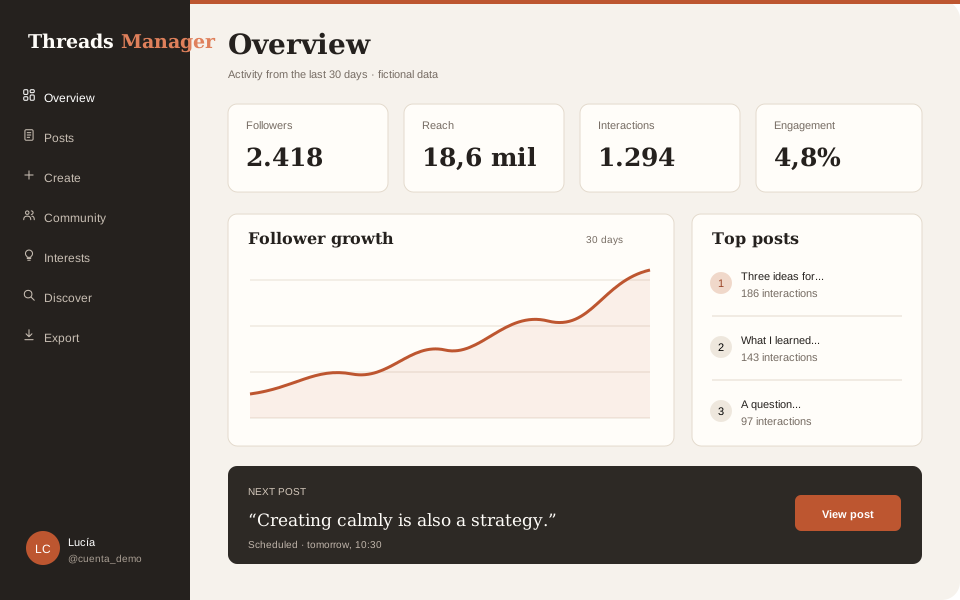
Getting started
From connection to an organized view
- 1
Authorize with OAuth
From the dashboard, Meta shows the requested permissions before connecting Threads.
- 2
Let it synchronize
Imports and metrics progress periodically while respecting the service's limits.
- 3
Publish and analyze
Prepare content, compare periods and export available data whenever needed.
Threads determines which metrics and demographics it provides. Some views may be empty until the first synchronization completes.
Who is it for?
Designed for people who
create on Threads
Content creators
Publish threads, measure the real engagement of each post and understand which content resonates with your audience. Everything scheduled to the minute so you can keep your publishing rhythm without being glued to the screen.
Businesses and brands
Organize your brand's Threads presence. Review metrics, receive a daily report when the service has it enabled, and export data for your team's analysis.
Agencies and consultants
Analyze the connected account, compare periods and prepare reports using the demographic and community data available for it.
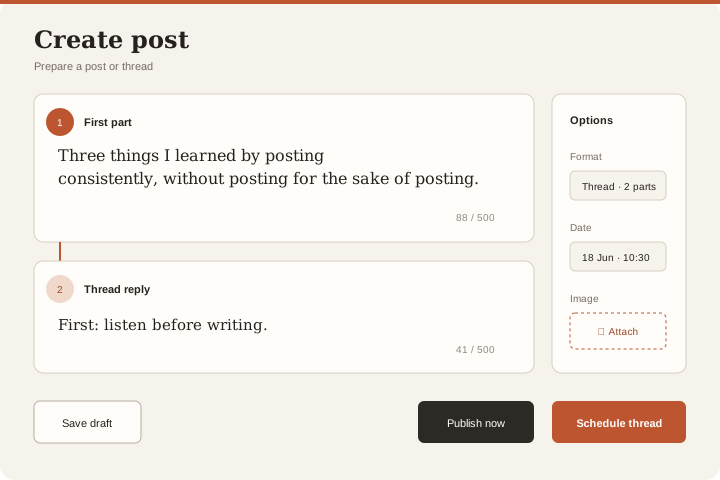
Publish with a plan
Prepare drafts, publish now or choose a date. Build threads connected as replies and attach images from the same composer.
- Immediate publishing and date scheduling
- Multi-part threads as chained replies
- Assisted text splitting when AI is enabled
- Attached images managed from the dashboard
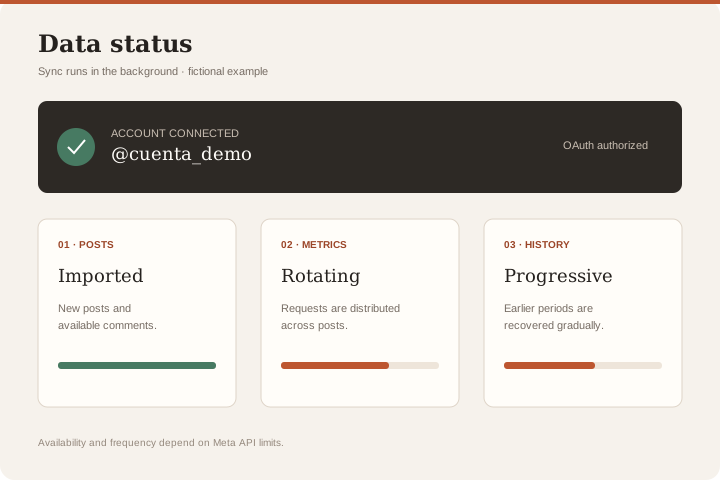
Automatic synchronization
The service imports posts and refreshes metrics periodically. Older history is retrieved progressively in the background, within the data and limits Meta provides.
- Imports your entire post history
- Rotating metric updates
- Progressive, resumable history recovery
- Threads token auto-refreshed (60 days)
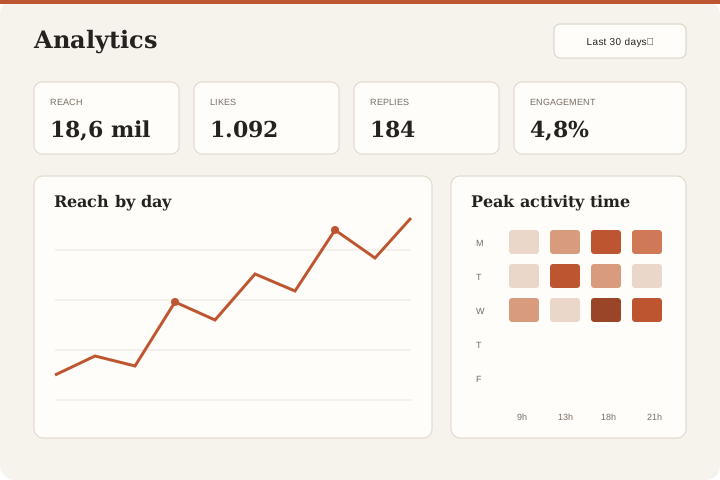
Analytics you can understand
Summary by periods — 7, 30, 90 days or all-time from the beginning. Profile visits, link clicks, reach, engagement, likes, replies, reposts, quotes and shares. Heatmap of the best time to post based on your real activity. Top posts by interaction.
- «All-time» range based on imported history
- Profile visits and link clicks
- Heatmap: best hour and day to publish
- Engagement rate per post and aggregated
Get to know your audience
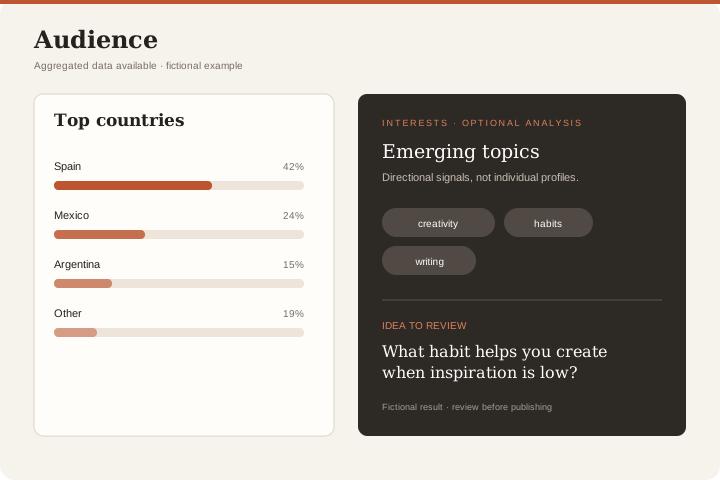
Follower demographics — country, city, age and gender — whenever Threads exposes them. Trends comparing how your audience composition changes over time. And an AI-powered interest analysis that examines comments, engagement and demographics to suggest topics, recurring questions and content ideas.
- Anonymous demographics by country, city, age and gender
- Trends: how your audience changes between periods
- AI-powered interest analysis
- Content ideas and estimated segments
Your community, unveiled
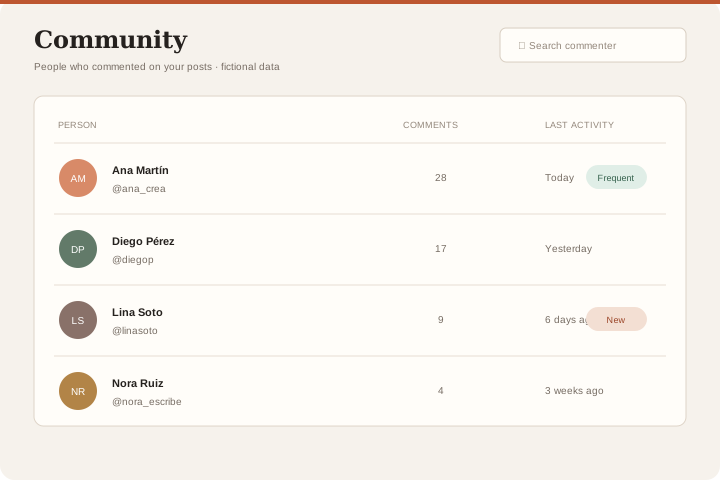
A directory of the people who comment on your posts. Discover who interacts the most, who the newcomers are and who has gone quiet. It reflects who actually engages — not your follower list, which Threads does not provide.
- Directory of regular commenters
- Newcomer detection
- Recent activity for each commenter
Search and export
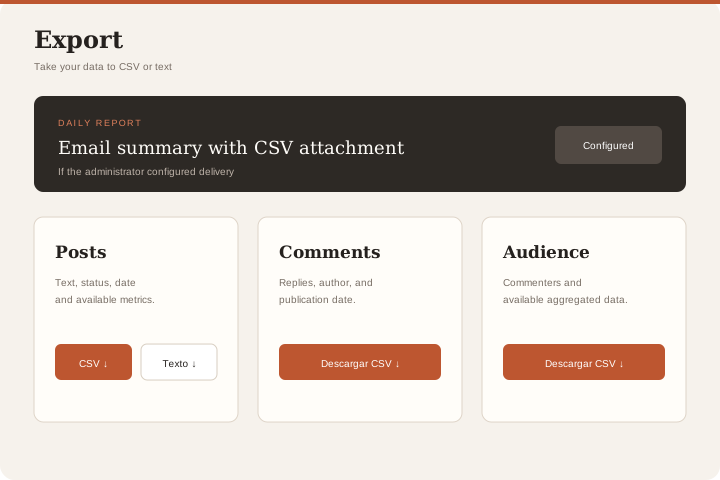
Search posts by keyword or hashtag. Export posts and comments to CSV or text and, when email delivery is enabled, receive a daily report with a CSV attachment.
- Keyword and hashtag search in your history
- CSV export of posts and comments
- Daily email report with CSV attachment
- Audience exportable to CSV
Connect Threads to GPT or MCP
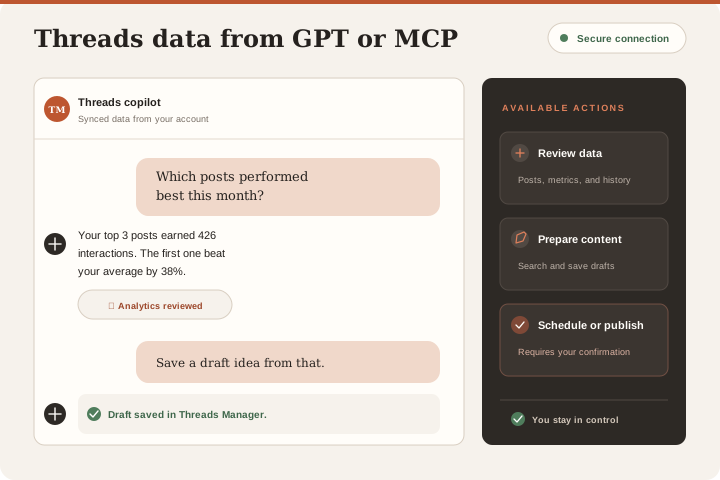
Connect your Threads account once, then use the same API key with GPT through GPT Actions or with a client compatible with Model Context Protocol. Ask about performance, retrieve posts, and prepare drafts from either interface. Scheduling or publishing always requires your explicit confirmation.
- Questions about posts, metrics, and follower history
- Best and worst posts ranked by performance
- Content search and draft creation
- Scheduling and publishing only after your confirmation
Everything in a single dashboard.
Your managed Threads workspace.
Sign in to your Threads Manager workspace and connect Threads through OAuth. Public registration is not available yet; access is privately enabled.
Publish
Threads, drafts, scheduling and images in a single flow.
Analyze
Engagement, reach, followers, heatmap and community.
Export
CSV, plain text and daily email report with everything broken down.
Frequently asked questions